
As a Retailer, How Do Supplier Orders Appear in My Store?
Every order generated through Carro will be tagged in Shopify, depending on whether you’re acting as the Retailer or the Supplier.
Retailer View
When a customer places an order for a supplier’s product in your store, it will appear in your normal Shopify Orders queue.
The order will be tagged as: Carro Supplier – [Partner Name].
You can filter orders by tags in Shopify, making it easy to identify all Carro-generated orders.

Supplier Order Information
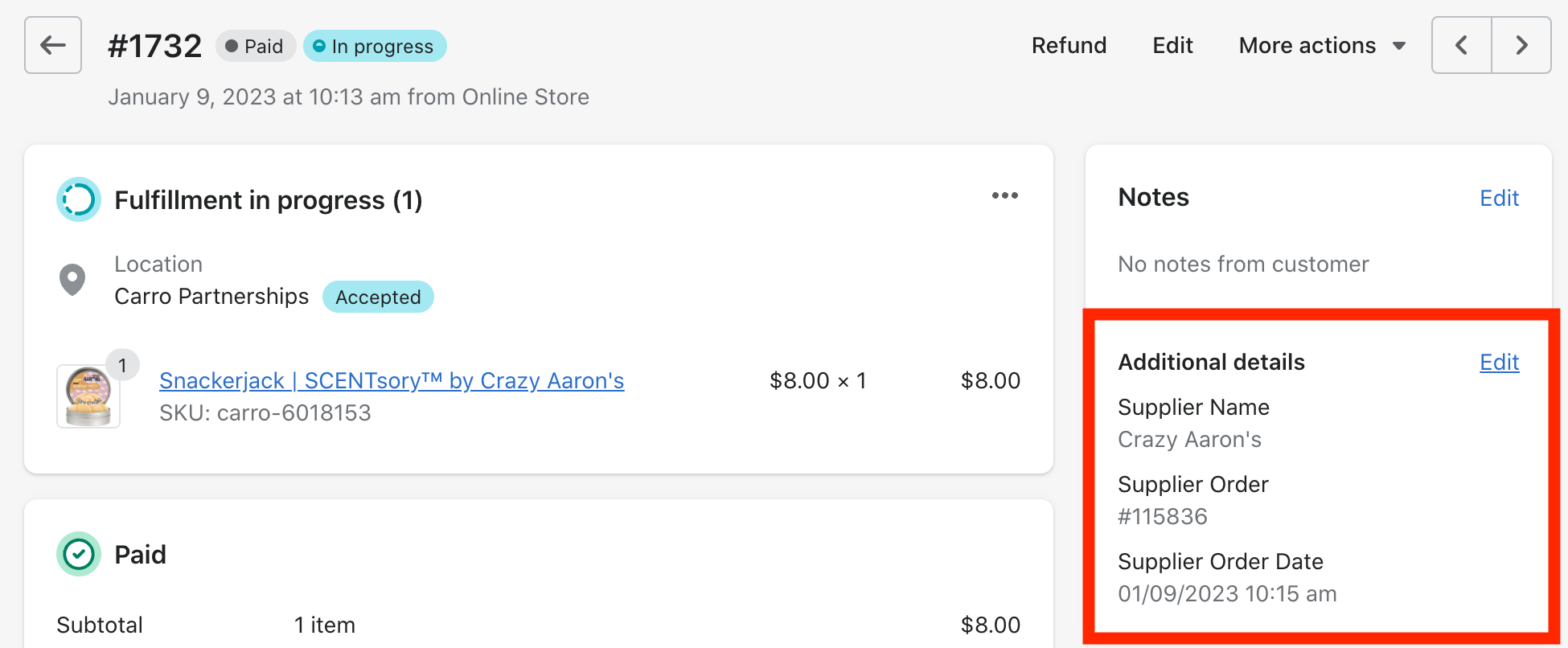
The supplier’s order details are included in the Additional Details section.
Customer information is shared with the supplier so they can fulfill the order.
As the retailer, your portion of the order is complete at this point.
Fulfillment Updates
When the supplier updates the order, the status will sync back to your store.
For example, once the supplier fulfills the order and adds tracking, the order will appear as fulfilled in your Shopify with a tracking link.