
Managing Your Credit Card on File
Edited
As part of setting up your Carro retailer account, you’ll be asked to add a credit card (and optionally a backup card). This card is used to pay your supplier partners when their products sell through your store.
When a payment is made, the charge will appear on your credit card statement as “CARRO:” followed by the corresponding order number.

To add or update your credit card:
Go to the Carro Settings tab.
Select Retailer.
Click Add Card or Update Card.
Optionally, add a backup card for extra security.
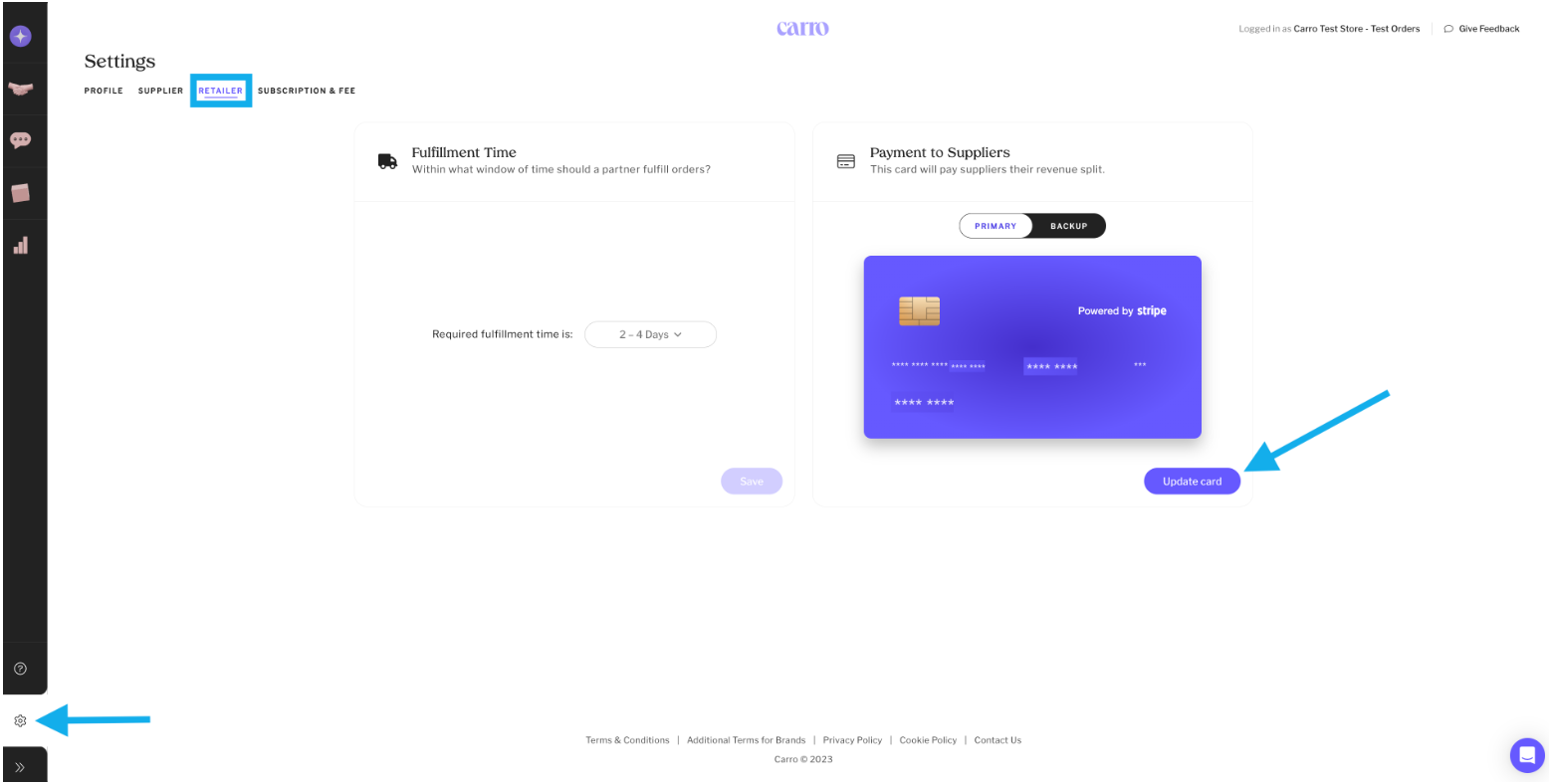
Tip: You can also add a backup credit card for extra security.
Was this article helpful?
Sorry about that! Care to tell us more?