
How Suppliers Can Cancel an Order
Edited
If you need to cancel a partner order, you can do so directly from your Shopify orders dashboard, just like any other order.
Steps to Cancel:
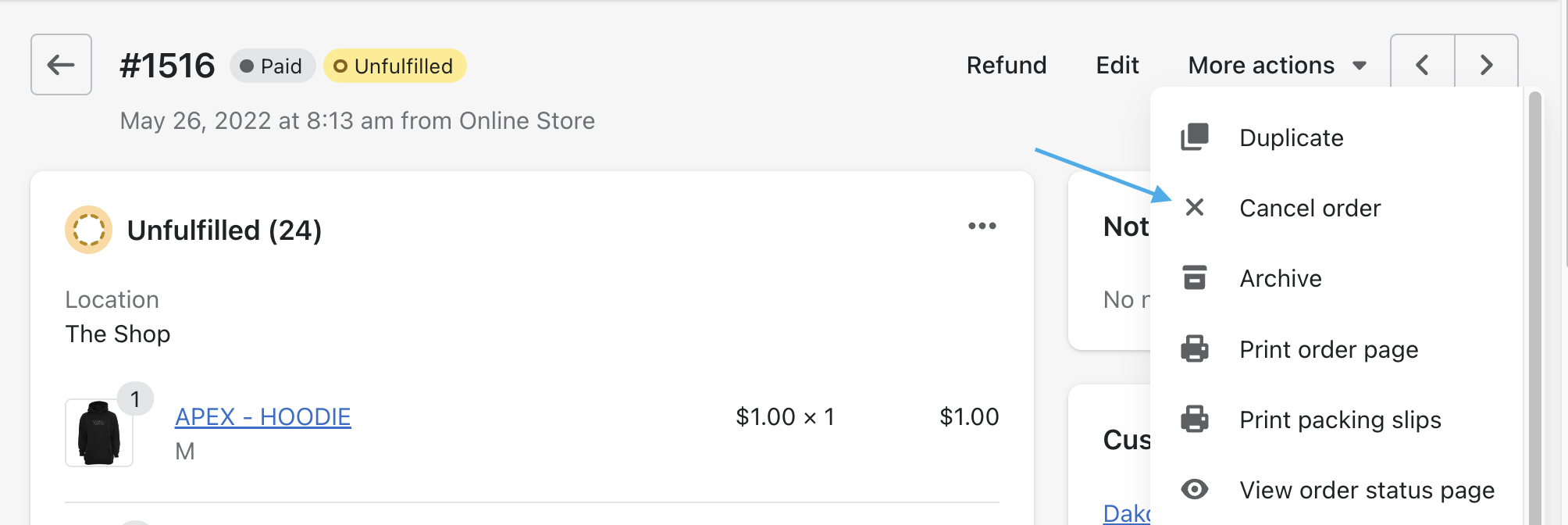
Navigate to the order in your Shopify admin.
Select Cancel Order.
Process the refund as required.
Important:
Follow the steps outlined in How to Handle Returns, Refunds & Order Mistakes to ensure the refund is processed correctly for both you and the retailer.
Was this article helpful?
Sorry about that! Care to tell us more?